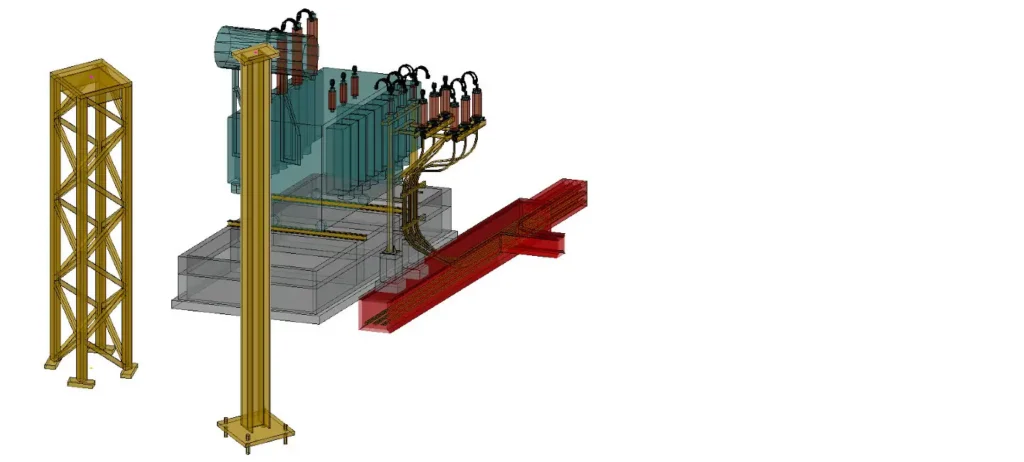
Substation BIM Design & Modelling Functions
Using the substation specific design features and functionality of primtech, you can fully focus on your substation project and not on fighting a CAD software to do what you want.
primtech uses AutoCAD as a graphic editor for editing the primtech engineering database. Therefore primtech is easy to learn, offers endless options for data exchange and gives you additionally all CAD functions you need.
Bay Grids
Intelligent Bay grids, stored in the database, serve as positioning aids for electrical equipment, and ensure that the device and phase distances are not less than the voltage-dependent minimum clearances.
Wire/Tube Connections
Cable and tube connections can be put together under the guidance of a dialog, and automatically generated in the 3-D model. In addition to the cable, cable connections also include chains, springs and terminals, and the sag can be specified. Particular support is given to the three-phase design of an installation.
Cable Ducts
primtech supports the generation both of cast and of segmented cable ducts. Both the length and the volume of the cable ducts are available to assist the assessment of parts lists.
Earthing grid
Earthing grids can easily be generated including all their components such as connectors, earthing cables, earthing details, risers and so on.
Roads/Paths/Fences
Convenient functions allow roads and paths, including crossings, to be generated quickly. The creation of fences with mesh wire or rigid fence segments is also supported. This can all be evaluated for your parts list.
Steel construction
Steel construction tool is supported by a comprehensive 3-D library including components such as steel lattice towers or support structures for bus bars. A comprehensive library of profiles is also available, with which you can generate fully customized steel objects.
Item Numbers
You can assign the item numbers individually, or assign them for an entire drawing with a single command. The database ensures that they are consistent across the complete projects including drawings and BOM.
30+ years of industry experience
Which CAD software does primtech use?
primtech uses AutoCAD as a graphic editor for editing the primtech engineering database. Therefore primtech is easy to learn, offers endless options for data exchange and gives you additionally all CAD functions you need.
How do bay grids help in substation design?
Intelligent bay grids, stored in the database, serve as positioning aids for electrical equipment and ensure that the device and phase distances are not less than the voltage-dependent minimum clearances.
Can primtech generate wire and tube connections automatically?
Yes. Cable and tube connections can be put together under the guidance of a dialog and automatically generated in the 3-D model – including chains, springs and terminals. The sag can be specified, and the three-phase design of an installation is particularly supported.
Which infrastructure elements can be modelled?
Besides the electrical equipment, primtech supports cast and segmented cable ducts, earthing grids, roads and paths including crossings, fences and steel constructions – all of which can be evaluated for your parts list.
How are item numbers kept consistent?
Item numbers can be assigned individually or for an entire drawing with a single command. The database ensures that they are consistent across the complete project including drawings and BOM.
See primtech 3d in action
Get a personal demo and find out how primtech 3d supports your substation design and engineering projects.